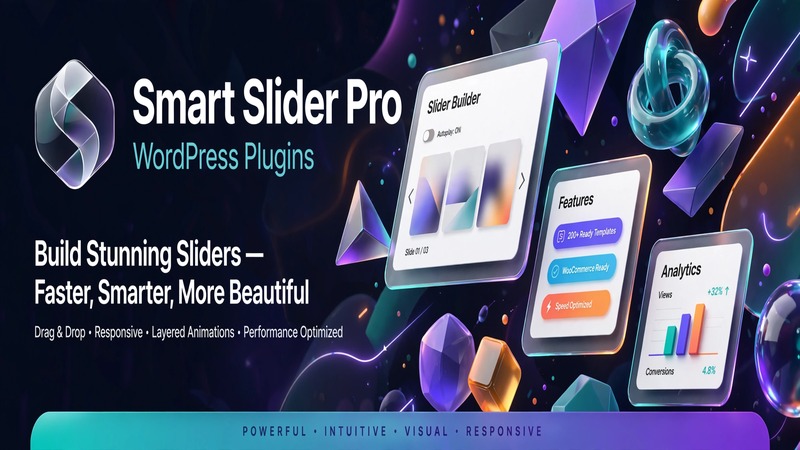
At A Glance: What Sets This Apart
Smart Slider Pro has been circling the WordPress plugin ecosystem for years, and version 3.5.1.40 arrives as a notably mature offering—not the flashiest entrant, but one that has clearly settled into its stride. The core pitch is straightforward: a visual editor that lets you build responsive, animated sliders and content blocks without touching code. That pitch used to be ambitious. Now it's table stakes.
What separates Smart Slider Pro from the clutter isn't a single killer feature—it's the accumulation of polish. The pre-made library (100+ slides) is actually usable out of the box, and the one-click import doesn't feel like a gimmick. Most slider plugins promise ease of use and deliver a confusing tangle of panels; Smart Slider Pro lands somewhere closer to what it advertises. It's not the most flexible builder on the market—that crown belongs elsewhere—but for publishers and designers who want sliders that render cleanly across devices without dependency conflicts, it holds its ground.
The visual positioning here is intentional: this is a tool for people who want control over typography, animation timing, and responsive breakpoints, but don't want to wrestle with shortcode madness or JavaScript dependencies. The editor feels modern. It doesn't try to be a full page builder. That restraint is actually its strength.
Interface Craftsmanship & User Experience
The editor itself is the product. Open it up and you're presented with a clean canvas—no dashboard chrome, no sidebar clutter, just your slider on one side and a properties panel on the other. The layout follows a conventional three-zone structure: assets and slide thumbnails in a left rail, the preview in the center, and context-sensitive controls on the right. It's not groundbreaking, but it's efficient.
Responsive behavior is where the interface earns its keep. You can switch between desktop, tablet, and mobile views with a single click, and the editor applies breakpoint-specific adjustments without forcing you to re-export or regenerate anything. Typography controls are granular—font family, weight, size, line height, letter spacing, and color all sit within the same panel, which reduces context-switching. Animation controls are similarly co-located, with easing curves and timing visible rather than buried in a text field.
Pre-packaged layouts follow a consistent aesthetic language. The 100+ samples aren't throwaway templates—they're structured with actual typographic hierarchy and breathing room. Many of the hero-style slides carry a restrained, editorial feel rather than the garish gradient-overload aesthetic that plagues cheaper slider plugins. That design sensibility matters, especially if you're dropping sliders into a professional publishing environment.
The one-click installation flow is smooth. Pick a sample, click import, and your slide appears in the canvas ready for editing. There's no forced upsell interstitial mid-flow, which is a small but welcome choice.
Under the Hood: Code Architecture & Modularity
Smart Slider Pro ships as a self-contained plugin with minimal external dependencies. The core library loads its assets—CSS, JavaScript, fonts—on a per-slider basis rather than site-wide, which keeps the baseline impact reasonable even when you're running multiple sliders across pages. The animation engine uses CSS transforms where possible and falls back to JavaScript-based animations only when necessary. It's not the lightest codebase in the slider space, but it's well-structured.
Integration with WordPress block editing (Gutenberg/FSE) is present but conservative. The plugin registers a block, and it works, but the experience is more functional than seamless—you'll still be pulling up the dedicated editor interface rather than working directly within the block canvas. Elementor integration exists through a widget, but again, it opens the full Smart Slider Pro editor rather than embedding controls inline. If you're building heavily within Elementor or FSE, this is worth noting: the plugin doesn't disappear into your existing workflow, it asks you to step into its own.
Customization freedom is generous. You can hook into slider events with JavaScript, apply custom CSS classes to any element, and control lazy loading at the individual slider level. There's no restriction on nesting sliders inside containers or placing them alongside other dynamic content. The code structure supports this without breaking—something I've seen less capable plugins struggle with under similar conditions.
One architectural choice worth flagging: the plugin stores slider data in the WordPress database rather than exporting to static JSON or markup files. This means your sliders are tied to the database and will carry over with standard WordPress migrations, but it also means poorly optimized sliders with heavy assets can accumulate bloat over time. Regular cache flushing and asset auditing are recommended practices here.
Built-In Tooling & Extension Capabilities
Beyond the core slider editor, Smart Slider Pro v3.5.1.40 includes several modules that extend its utility into adjacent territory.
Dynamic Content Modules: The plugin supports pulling content from custom post types, ACF fields, and WooCommerce products directly into slider slides. This isn't a toy feature—the dynamic content editor lets you map fields, set query parameters, and control ordering without writing a single line of PHP. For content-driven sites that rotate featured posts, product highlights, or portfolio items, this replaces what would otherwise require a combination of a slider plugin and a separate query block.
Shop Module: A dedicated WooCommerce-compatible slider type handles product grids, variable pricing display, and add-to-cart actions within the slide layout. It's not a full storefront builder, but it covers the most common e-commerce slider use cases cleanly.
Header and Footer Builders: This is the extension that pushes Smart Slider Pro past "just a slider plugin." The built-in header and footer editor lets you construct sticky navs, announcement bars, and footers using the same visual canvas. It's lightweight compared to dedicated header-builder plugins, but for sites that need simple, responsive chrome elements without adding another plugin to the stack, it's a practical addition.
Filtering and Dynamic Pages: The plugin supports dynamic filtering on slider outputs, allowing you to conditionally display slides based on taxonomy terms, author, or custom meta. Combined with the dynamic content module, this opens up use cases like filtered portfolio galleries or category-specific hero sections without external tooling.
The free version caps out at three sliders and excludes the header/footer builders and some dynamic features. The pro tier unlocks the full stack, and honestly, if you're serious about using the shop module or dynamic content, the free version becomes limiting fast.
Technical Benchmark & Compatibility Summary
| Specification | Detail |
|---|---|
| Plugin Version | 3.5.1.40 |
| WordPress Required | 5.0 or higher |
| PHP Version Required | 7.0 or higher (recommended: 8.0+) |
| Dependencies | Minimal; self-contained core library |
| Block Editor Support | Yes (Gutenberg/FSE registered block) |
| Elementor Support | Yes (via widget) |
| WooCommerce Support | Yes (dedicated shop module in pro) |
| Slider Limit (Free) | 3 sliders |
| Slider Limit (Pro) | Unlimited |
| License Types | Single site, 5 sites, unlimited |
| Documentation | Comprehensive online docs and video library |
| Support Response | Typically within 24–48 hours (weekday) |
| Last Updated | October 2026 |
The Editorial Bottom Line
Smart Slider Pro v3.5.1.40 isn't trying to reinvent anything. It's a slider plugin that does the core job well, with a interface that respects the user's time and an architecture that doesn't fight the WordPress ecosystem. The real value sits in the extensions—the dynamic content module, the WooCommerce slider type, and the header/footer builder. Together, they make this more of a visual content layer than a single-purpose tool.
Where it shines: Sites that need multiple responsive sliders with animated content, publishers who want pre-made designs that actually look professional, and developers who appreciate a plugin that loads assets intelligently and doesn't enforce its way through the page builder hierarchy.
Where it stumbles: The Gutenberg integration feels half-hearted compared to native block-building tools, and the free version's three-slider cap is aggressive for anyone running a content-heavy site. The header and footer builder, while convenient, lacks the depth of dedicated plugins like OceanWP's or Premiumized's offerings.
Verdict: If you're evaluating slider tools and want something that gets out of the way while delivering solid responsive output with optional advanced features on demand, Smart Slider Pro v3.5.1.40 is a dependable choice. It won't excite you with novelty, but it won't frustrate you with broken promises either. Download the free version first, test the canvas with your own content, and upgrade to pro only if you need the dynamic modules or unlimited sliders. That's the most honest path through this one.