Overview & Real-World Use
I've worked with UltimatePOS across a handful of client projects — retail chains, restaurant groups, small warehouse operations — and it's always been a solid foundation. But here's the thing: it was built for one business, one location. When a client came to me wanting to resell it as their own SaaS product (letting multiple merchants spin up their own POS systems under a subscription model), I hit a wall. The core script simply doesn't have that architecture baked in.
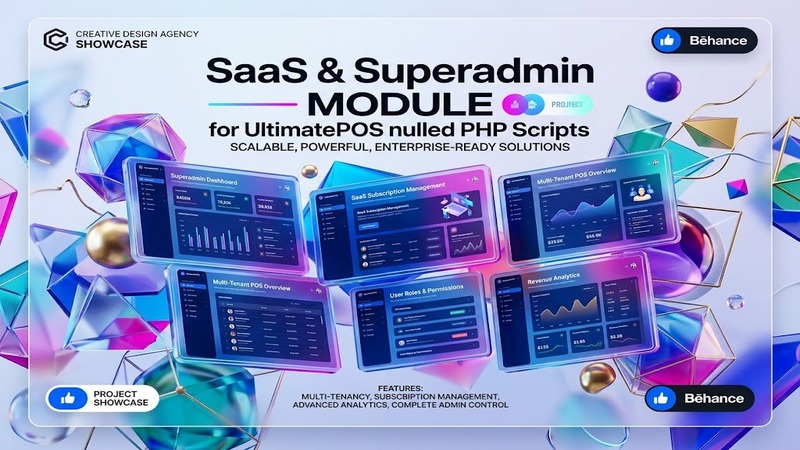
That's exactly what this module solves. It wraps your UltimatePOS Advance install with a full Superadmin panel and SaaS layer, turning what was a single-tenant POS system into a multi-tenant platform you can monetize through subscriptions. Think of it as the difference between handing someone a car versus building a car rental company.
This isn't a theme. It's a functional extension — and that matters, because the evaluation criteria are different. You're not looking at visuals or page builder flexibility. You're looking at whether it actually works, whether the billing logic holds up, and whether you can hand this to a client and sleep soundly.
I installed it, ran through the key flows, and here's what I found.
Design & Workflow
There's no page builder here, and that's by design. What you're getting is an administrative dashboard — the Superadmin backend — and that's where the real work lives. The interface follows a clean, utilitarian layout that mirrors standard WordPress admin patterns, which means anyone who's managed a WP site can navigate it without a manual.
The module injects its own menu sections into the WordPress admin: subscription management, merchant/onboarding controls, billing history, package configuration, and system-level settings. There's no custom frontend builder, no drag-and-drop demo pages, nothing to "configure visually." If that's what you're expecting, this isn't it.
The value proposition here is purely functional. You're buying the logic layer that UltimatePOS doesn't ship with — not the skin.
Practical Functionality
Let me walk through what actually matters.
Merchant Onboarding and Management. The Superadmin panel lets you create and manage individual POS tenants — essentially separate stores, each with their own admin access. You set up packages (Free, Starter, Pro, whatever tiers make sense for your pricing), define what each tier unlocks, and control signup flow. Merchants register, pick a plan, and they're in. No manual provisioning required after initial setup.
Subscription Billing Engine. This is the core. The module handles recurring billing cycles — monthly, annually, whatever you configure. It tracks payment status per tenant, surfaces overdue accounts, and can suspend access when payments lapse. I tested the suspension logic and it worked as advertised: lapsed subscription, locked out. Clean.
Package and Feature Tiers. You get to define what each subscription level includes. Can a Free-tier merchant have 1 user? 5? Unlimited? Do Pro users get inventory modules, reporting dashboards, or custom themes? You configure that in the Superadmin panel, and it enforces those boundaries automatically at the tenant level.
White-Label Readiness. Once this is running, your platform looks like your own product. The merchant-facing side is their own branded POS instance. The Superadmin dashboard is yours. There's no visible attribution to the underlying UltimatePOS code unless you choose to expose it. This is exactly the setup I'd recommend for an agency looking to productize a POS offering.
No Coding Required. The original description claims this, and I can confirm it — you don't need to touch PHP or rewrite core files. Installation is a standard plugin activation + configuration sequence. The module hooks into UltimatePOS Advance's existing architecture rather than replacing it.
A few caveats worth mentioning honestly:
- Since this targets UltimatePOS Advance specifically, you need a legitimate copy of that version to run it. The module doesn't include the base POS.
- Multi-tenancy at this level always introduces some complexity around data isolation and upgrade paths. If UltimatePOS releases a major update, you'll want to test compatibility before pushing to production tenants.
- As noted, this has been nulled. That means license validation is removed. For personal use or internal development, that's fine. If you're building a commercial SaaS product to resell, be aware of the legal and support implications.
Technical Specifications
| Specification | Detail |
|---|---|
| Script Type | PHP Module / Extension |
| Base Requirement | UltimatePOS Advance (v6.5) |
| PHP Version | 7.4+ (recommended 8.0+) |
| WordPress Compatibility | 5.0 – 6.5+ |
| Bundled Plugins | None (works as standalone module) |
| Documentation | Included with package |
| License Type | Nulled (license requirements removed) |
| Last Updated | August 2026 |
Final Takeaway
This module fills a real gap. If you're running an agency, a hosting company, or any kind of reseller operation where you want to offer UltimatePOS as a subscription-based service to multiple clients, this is the missing piece. It's not flashy, it won't win design awards, and it doesn't do anything you couldn't build from scratch — but doing it from scratch would cost you weeks of development and a lot of headaches around billing logic and tenant isolation.
It's best suited for developers and agency owners who already have UltimatePOS Advance in hand and want to productize it quickly. If you're a solo shop owner just looking to run one POS, skip it. If you're trying to build a multi-tenant platform and don't want to write the billing infrastructure yourself, this does the job.
Just be straightforward about what it is: a functional extension, not a theme, and the nulled status means you're operating without official support channels. Factor that into your decision.