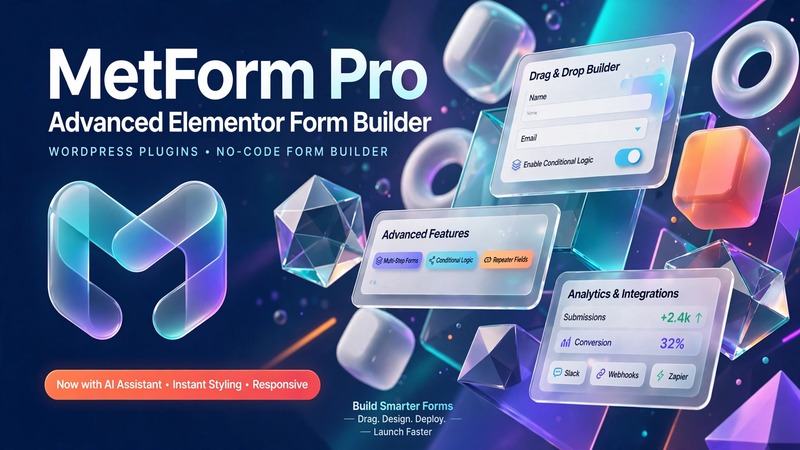
Agency Executive Summary & Business Fit
MetForm Pro v4.1.1 lands squarely in the "serious form builder" tier for Elementor-powered builds. If you're running a digital agency that fields custom form requirements weekly—lead capture pages, membership applications, booking systems, WooCommerce checkout flows—this asset cuts production time significantly. It's not a theme. It's a functional layer that lives inside Elementor and extends what your clients can collect without reaching for five different plugins.
Who this serves best:
- Agencies building lead-generation sites for local service businesses (contractors, clinics, legal firms)
- E-commerce operators needing advanced product inquiry forms alongside WooCommerce
- Corporate and SaaS clients who want multi-step application flows without hiring a developer
- Freelancers managing white-label portfolios where form UX is a differentiator
Estimated production turnaround: A standard contact/lead capture page drops in 20–30 minutes with Elementor. Multi-step forms, conditional logic setups, and payment integrations take 1–2 hours depending on complexity. That's competitive against building from scratch or juggling three separate form plugins.
The core value proposition is simple: turn WordPress forms into data-driven applications. That means conditional logic, multi-step flows, payment collection, and automation built right in. For client work where form UX directly impacts conversion rates, MetForm Pro removes the friction of assembling fragmented solutions.
Visual Architecture & Conversion-Focused Layouts
MetForm Pro ships with a design system that respects modern form UX principles. Field spacing, typographic hierarchy, and CTA placement follow conversion best practices rather than default WordPress aesthetics. Pre-built templates cover the common use cases—contact forms, registration flows, quote calculators, newsletter signups—with layouts that are already mobile-responsive.
What stands out on the layout side:
Field groupings use clear visual boundaries. Labels sit above inputs (not inside, which hurts completion rates on mobile). Required field indicators are subtle but obvious. Call-to-action buttons use contrast-weighted styling that draws the eye without feeling aggressive. The template library isn't overwhelming—you get focused, purpose-built layouts rather than decorative filler.
Mobile-first handling is solid. Input fields scale appropriately on small screens, touch targets meet minimum 44px sizing standards, and form stacking follows logical reading order. No horizontal scrolling, no cramped fields, no submit buttons getting lost in the viewport fold.
Typography follows Elementor's global style system, so it inherits your project's typeface choices automatically. If you've set up a client brand guide with specific heading weights and body sizes, MetForm Pro respects that hierarchy. This matters because forms that look like they belong in the rest of the site convert better than one-offs that scream "plugin."
Conditional logic also plays a role in layout architecture—fields appear and disappear contextually rather than cluttering the form with irrelevant options. A loan application won't show "employer details" until income type is selected. That's conversion psychology baked into the form flow.
Practical Customization & Client Handover
Working with MetForm Pro in Elementor is straightforward. The widget drops into any page layout alongside your existing sections. Styling happens through Elementor's native controls—no custom CSS required for standard adjustments. If you need deeper customization, the Pro version exposes field-level class hooks and custom CSS panels.
Global theme styling applies across all forms on the site. Set your brand colors, button radii, and input borders once in Elementor's Site Settings, and MetForm Pro picks them up. This keeps consistency across multiple form types without per-form configuration overhead.
White-labeling is relevant if you're delivering to clients who manage their own dashboards. MetForm Pro's interface sits inside the WordPress admin and Elementor canvas—no separate branded experience to maintain. Reports and submission exports can be filtered and exported as CSV, which feeds cleanly into client CRM pipelines or spreadsheet workflows.
Client handoff considerations:
The Elementor editor makes it easy for clients to edit copy, swap images, and adjust basic field labels without touching code. However, conditional logic rules and payment gateway configurations should be locked behind developer-managed templates. Set up a clean template library within Elementor before handing over—a few well-named, pre-configured form templates prevent scope creep on content updates.
For sites with multiple form types, organize templates by function (Lead Capture, Application, Inquiry, Payment) rather than by page. Clients naturally think in terms of "I need another quote form" not "I need another form for page 14."
Core Feature Breakdown & E-Commerce Readiness
WooCommerce integration is the headline feature. MetForm Pro connects directly to WooCommerce product catalogs, allowing product selection within forms, dynamic pricing based on selections, and cart-to-form workflows. This matters for clients selling custom or made-to-order products where a standard add-to-cart button doesn't capture the full brief.
Multi-step form flows break complex applications into digestible sections. Each step can have its own validation rules, progress indicators, and conditional branching. Useful for mortgage applications, job portals, and event registrations where single-page forms tank conversion rates.
Payment integration covers Stripe, PayPal, and other major gateways. Forms become transactional endpoints—quote requests that convert to invoices, event registrations with deposits, service bookings with upfront payment. This closes the gap between lead capture and revenue collection within a single Elementor workflow.
SEO schema structure is handled at the form level where applicable. Structured data for forms, FAQs, and review collections can be mapped through Elementor's SEO settings or compatible SEO plugins. Not a full SEO suite, but adequate for the form-specific markup that matters.
Performance and caching compatibility: MetForm Pro plays nicely with standard WordPress caching (WP Rocket, WP Super Cache, server-level page caching). Form submissions route through AJAX endpoints that are cache-bypass safe by default. No known conflicts with Redis or Memcached object caching.
Third-party integrations cover Zapier, Mailchimp, ActiveCampaign, Google Sheets, and webhooks. This is where the "turn forms into data-driven applications" claim becomes concrete—every submission can trigger downstream automations without custom development.
Production Environment & Requirements Checklist
| Requirement | Minimum | Recommended |
|---|---|---|
| WordPress Core | 6.4+ | 6.6+ |
| PHP Version | 8.0 | 8.2+ |
| Memory Limit | 256MB | 512MB |
| Elementor | Pro 3.2+ | Latest stable |
| MySQL | 5.7+ | 8.0+ |
| WooCommerce | 8.0+ (optional) | Latest stable |
| Server OS | Linux | Linux with NVMe storage |
Plugin dependencies: Elementor Pro (required), WooCommerce (optional, for e-commerce flows), an SEO plugin of choice.
Update protocol: Always test MetForm Pro updates on a staging environment first. Form migration scripts occasionally shift database tables between major versions. Maintain a backup of form templates and submission data before upgrading. The plugin team has a track record of backward-compatible updates, but client-facing sites should never skip staging verification.
Known limitations: Heavy conditional logic trees can slow page load on lower-tier hosting. If a form exceeds 15 conditional branches, consider splitting it into two connected steps. Export-only reports may time out on forms with 10,000+ submissions—schedule exports during off-peak hours or increase PHP memory limits.
Agency Verdict & Value Assessment
MetForm Pro v4.1.1 is worth deploying when form UX is a revenue driver for your clients. It's overkill for a simple contact page on a brochure site, and it's underwhelming if you need deep CRM customizations beyond Zapier webhooks. The sweet spot sits in the middle: business websites where lead quality and conversion rate depend on how smoothly a form behaves.
Maximum ROI comes from:
- Lead generation agencies serving service businesses
- E-commerce stores with custom product configurations
- Membership and subscription platforms requiring application flows
- Agencies that need to reduce form-related development hours across multiple client projects
At its price point, it undercuts the cost of custom form development by a wide margin and replaces the plugin sprawl most agencies accumulate trying to fill form functionality gaps. The real cost isn't the license—it's the time saved on subsequent builds once the workflow is internalized.
If your practice involves Elementor, forms, and measurable conversion outcomes, MetForm Pro belongs in your toolkit. If you're not using Elementor or forms aren't a conversion priority for your clients, skip it and move on.