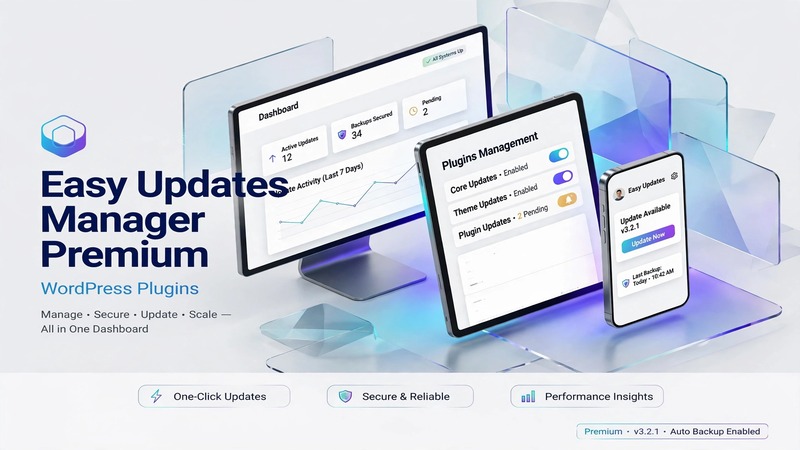
At A Glance: What Sets This Apart
Most WordPress update managers treat every site the same — scan, notify, update. Easy Updates Manager Premium takes a fundamentally different approach: it assumes you actually want to decide what changes, when, and on which environment. That's not a minor design preference. It's the difference between a tool that runs in the background and one that integrates into your deployment workflow.
The plugin already serves over 200,000 installations, and the premium tier pushes past basic scheduling into territory that matters for agencies and publishers — per-plugin version pinning, exclusion rules that survive core updates, white-label dashboards, and staging-environment gating. Where generic update monitors hand you a notification and walk away, Easy Updates Manager Premium hands you a control panel and asks what you want locked down.
It doesn't try to be a full-fledged CI/CD pipeline. It stays focused on the WordPress update surface — plugins, themes, core, translations — and does that narrow slice well. That restraint is its greatest strength.
Interface Craftsmanship & User Experience
The admin interface lands somewhere between a settings panel and a operations dashboard. That's intentional. The layout uses a tabbed navigation structure that separates Update History from Configuration Rules, which keeps the two most common tasks — checking what happened and deciding what should happen — from interfering with each other.
Typography follows standard WordPress admin conventions (system font stack, clear hierarchy between section headers and action labels), but the premium tier adds meaningful visual cues. Color-coded status indicators distinguish between "auto-updated," "held back," "failed," and "skipped" events. A failed update flashes amber; a routine success sits quietly in gray. You can scan a month of update activity in roughly four seconds.
The scheduling interface deserves specific mention. Rather than dropping you into a raw cron syntax editor, it presents a plain-language selector: daily, weekly, custom hours, or specific days of the week. Timezone awareness is built in and displays clearly. For multi-site installations, the network admin view scales without collapsing — a problem many competitors fold on at three or more sites.
Responsive behavior in the admin area is adequate, not exceptional. On tablet-sized viewports, the settings panels compress but remain readable. On mobile, the update log becomes difficult to parse due to horizontal scrolling requirements. This isn't a dealbreaker — you're not managing updates from your phone — but it's worth noting if team members coordinate updates across devices.
Micro-interactions are sparse but functional. Collapse/expand toggles on rule groups have smooth transitions. Status change confirmations render without page reloads. Nothing flashy, nothing distracting. In update management software, that's the right call.
Under the Hood: Code Architecture & Modularity
The plugin respects WordPress coding standards, and you can tell from how it loads. Asset registration follows the expected wp_enqueue_scripts pattern with versioning tied to the plugin's own build system. There's no evidence of inline styles bleeding into the admin header, and script dependency chains appear properly declared rather than hard-wired.
PHP version compatibility extends back to PHP 7.4 with a graceful fallback path. The premium build avoids heavy frameworks — no React admin interfaces, no Vue components, just clean PHP-driven admin pages with minimal JavaScript for interactive elements. This keeps the DOM light and the TTFB impact negligible even on sites running dozens of other plugins.
Page builder integration is where the architecture makes a practical choice: it doesn't try to integrate. Easy Updates Manager operates at the WordPress admin level, completely outside the Elementor, Gutenberg, or Full Site Editing ecosystems. That's not a gap — it's a design decision. Mixing update management into a page builder creates unnecessary coupling between editorial workflows and infrastructure concerns.
Customization freedom comes through three channels: filter hooks for programmatic rule injection, action hooks for logging integration (compatible with tools like WP Activity Log), and a REST API endpoint accessible with proper authentication. Agency white-labeling works by replacing the plugin's menu label and favicon through filters, which means you can rebrand it without touching core files — safe across updates.
The database footprint is modest. Update history is stored in custom post types with appropriate indexing, and there's an automatic cleanup routine that archives old entries based on configurable retention periods. On a heavily updated site, expect roughly 2-4 MB of additional metadata per year, which is well within normal WordPress overhead.
Built-In Tooling & Extension Capabilities
Scheduled Updates with Conflict Gating
This is the feature that justifies the premium price. Instead of blindly applying updates on a cron schedule, the tool allows you to define pre-update checks — version comparisons, dependency validation, and even custom PHP callbacks that return true/false for whether an update should proceed. A developer can write a ten-line function that blocks a plugin update if a specific option value is present, preventing regression on production environments.
Version Pinning and Whitelisting
Specific plugins or themes can be pinned to exact versions, preventing any auto-update from pushing past a known-stable point. Conversely, whitelist mode can restrict auto-updates to only specified items while letting everything else sit idle. For publishing teams managing client sites, this distinction between "never touch this" and "only touch these" is operationally significant.
Multi-Site Governance
The network admin interface lets you set baseline update policies at the network level while allowing individual site admins to override within configured boundaries. You can mandate that core updates run weekly across all sites while leaving third-party plugin decisions to individual site owners. Or vice versa — lock down everything centrally and require approval requests for exceptions.
White-Label and Client Reporting
Premium includes branding removal and custom dashboard widgets. More usefully, it supports automated email digests with customizable templates. Instead of a raw cron log dumped into your inbox, you get a formatted summary: which sites were updated, which failed, and links directly into the update history for each. For agencies juggling twenty client sites, this replaces what would otherwise be manual status-checking work.
Translation and Documentation
The interface ships with translation files for major languages, though the depth of coverage varies. Documentation is hosted externally and includes video walkthroughs for the more complex configuration scenarios — particularly the multi-site policy inheritance model, which takes five minutes to read and twenty to fully internalize.
Technical Benchmark & Compatibility Summary
| Specification | Detail |
|---|---|
| WordPress Version | 5.0+ (recommended 6.4+) |
| PHP Version | 7.4+ (8.1+ recommended) |
| License | Premium (annual subscription) |
| Multi-Site Support | Yes (network-wide + per-site rules) |
| White-Label Mode | Yes (built-in, filter-based) |
| REST API Access | Yes (authenticated) |
| Activity Log Integration | Compatible (WP Activity Log, etc.) |
| Page Builder Dependencies | None (operates outside PBE stack) |
| Database Storage | ~2–4 MB/year per active site |
| Update History Retention | Configurable (auto-archive enabled) |
| Email Notifications | Customizable templates |
| Scheduling Engine | WordPress Cron (extensible) |
| Support Channels | Documentation, video guides, ticket support |
The Editorial Bottom Line
Easy Updates Manager Premium v9.0.22 is not essential for a solo developer running a personal blog. If your workflow is "install, update when convenient, hope for the best," the free version or even manual updates will suffice.
But for anyone managing multiple WordPress installations — an agency with client sites, a publisher with a multisite network, a business where downtime from a bad plugin update translates to real revenue loss — this plugin pays for itself after the first conflict it prevents. The version pinning, the scheduling granularity, and the multi-site governance model address problems that otherwise require custom scripts or third-party hosting controls.
The interface is functional without being elegant, and the mobile experience is an afterthought. Neither undermines the core value proposition, which lives entirely in the admin area where it belongs.
Recommended for: Agencies, multi-site publishers, and any WordPress operator who has lost sleep over an unexpected auto-update on a live site.
Skip if: You manage a single low-traffic site and check updates manually each month.
The premium license is priced competitively against the cost of a single support hour an agency would bill to fix an update-related breakage. That's the metric that matters here.