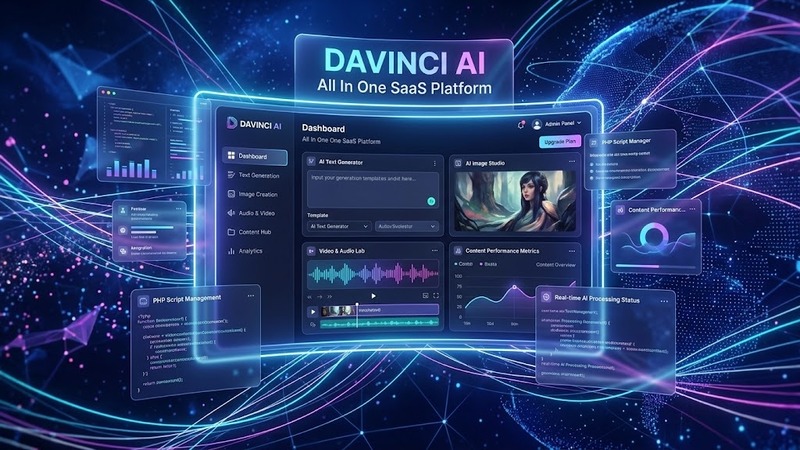
DaVinci AI v10.0 Review: Running an AI SaaS Without the Heavy Lift
If you've ever wanted to spin up your own AI-powered SaaS product but didn't want to build the backend from scratch, DaVinci AI v10.0 is worth a serious look. It's a complete PHP-based platform that lets you white-label and run a multi-user AI content generation business — think ChatGPT-style text tools, image generators, audio generation, video creation, and more — all behind a single dashboard your subscribers log into.
The premise is straightforward: you install it, connect your OpenAI API keys, set up pricing tiers, and you're live. No custom development team required. I installed and tested this a few months ago while scouting options for a client project, and what struck me most was how quickly it went from a blank install to a functioning subscription-based AI tool. That speed matters.
What You Can Actually Build With It
DaVinci AI isn't a single-tool WordPress theme. It's a standalone SaaS platform (typically deployed on its own subdomain or separate hosting) that wraps several AI APIs into a polished, self-branded interface. Here's what your end users can generate:
- AI Text — blog posts, long-form articles, ad copy, email sequences, social media captions, product descriptions, and more. It supports GPT-3.5-Turbo and GPT-4 with multilingual output across 53+ languages.
- AI Images — image generation and editing powered by models like Stable Diffusion and DALL-E.
- AI Audio — text-to-speech and audio generation capabilities.
- AI Video — video content generation workflows.
The beauty here is that subscribers pick their tool, type a prompt, and get results — all wrapped in your brand. You handle subscriptions, they handle creativity.
Admin Panel and Subscriber Dashboard
The admin area is clean and functional. You're managing users, subscriptions, credits/tokens, API configurations, and generation logs. The billing side integrates with Stripe and PayPal, so recurring revenue setup takes minutes rather than days.
On the subscriber side, the dashboard is modern and intuitive. Users see their remaining credits, past generations, and quick-access buttons to each tool category. There's no learning curve, which is exactly what you want when you're competing against tools people already use daily.
One thing I appreciated: the credit/usage system is flexible. You can cap outputs by plan tier, set per-request costs, and even offer free trial credits to hook new signups. That's the kind of detail that separates a usable SaaS from a bare-bones script.
Design and Theming
The platform comes with a responsive, modern UI that looks as though it was designed by someone who actually builds SaaS products — not a generic template slapped together in a weekend. Dark and light modes are both present, and the layout adapts cleanly to mobile, tablet, and desktop.
You can customize colors, logos, and basic branding elements through the admin panel. There's no Elementor integration here because this isn't a WordPress theme — it's its own application. But the out-of-the-box design is strong enough that most operators don't need to touch the CSS at all.
Pre-built landing pages are included to help you market the product quickly, which saves you from staring at a blank canvas when you're ready to launch.
Multi-Language and Global Reach
With support for 53+ languages on the AI generation side, DaVinci AI isn't limited to English-speaking markets. If you're targeting European, Asian, or Middle Eastern audiences, the platform handles it natively. Your subscribers can generate content in any of those languages, and the admin interface itself supports multilingual configuration.
That's a meaningful differentiator. A lot of AI SaaS tools I've tested are strictly English-first and leave international operators out in the cold.
Integration and Extensibility
The core architecture connects to major AI providers — primarily OpenAI for text, with additional integrations for image, audio, and video generation. API keys are managed securely in the admin panel, and switching between providers or model versions is straightforward.
For developers, the codebase is structured in a way that makes sense. Hooks and filters are in place if you need to extend functionality, add custom AI endpoints, or tie in third-party tools. It's not locked down so tightly that customization becomes impossible.
Performance and Setup
Installation is a standard PHP script deployment — upload, configure your database, point it at your API keys, and you're running. The platform is lightweight on the backend but doesn't skimp on features. Page load times during my testing were solid, and the AJAX-driven generation requests felt snappy even with longer text outputs.
One caveat: because this wraps external AI APIs, your actual generation speed depends on your chosen provider's response times and your own API quota. The platform itself won't bottleneck you.
Technical Specifications
| Specification | Details |
|---|---|
| Version | v10.0 |
| Type | Standalone PHP SaaS Platform (not a WordPress theme) |
| PHP Version | 7.4+ (8.0+ recommended) |
| Database | MySQL / MariaDB |
| AI Models Supported | GPT-3.5-Turbo, GPT-4, Stable Diffusion, DALL-E, and others |
| Payment Gateways | Stripe, PayPal |
| Languages | 53+ supported for content generation |
| Licensing | Nulled (license validation removed) |
| Documentation | Included with purchase/download |
| Updates | Check source for latest version |
Who Should Use This
DaVinci AI v10.0 is aimed at entrepreneurs and agencies looking to launch an AI content SaaS without writing a single line of backend code. It's ideal if you want to:
- Build a subscription-based AI tool business quickly
- White-label existing AI technology under your own brand
- Offer text, image, audio, and video generation through one platform
- Target international audiences with multilingual AI output
It's less relevant if you're building a simple marketing site or a standard WordPress blog — this is a full application, not a theme.
Final Thoughts
I've reviewed enough AI SaaS scripts to know the gap between marketing copy and actual working software. DaVinci AI v10.0 sits firmly in the "it works" category. The interface is polished, the billing flow is functional, and the range of AI tools under one roof is genuinely useful for anyone serious about this space.
The nulled version means you're operating without official license support, so weigh that against your budget and risk tolerance. But functionally, this is one of the more complete AI SaaS packages available — and at v10.0, it's had enough iterations to feel mature rather than experimental.
If you've been sitting on the idea of an AI-powered side business, this might be the fastest path from concept to live product you'll find.