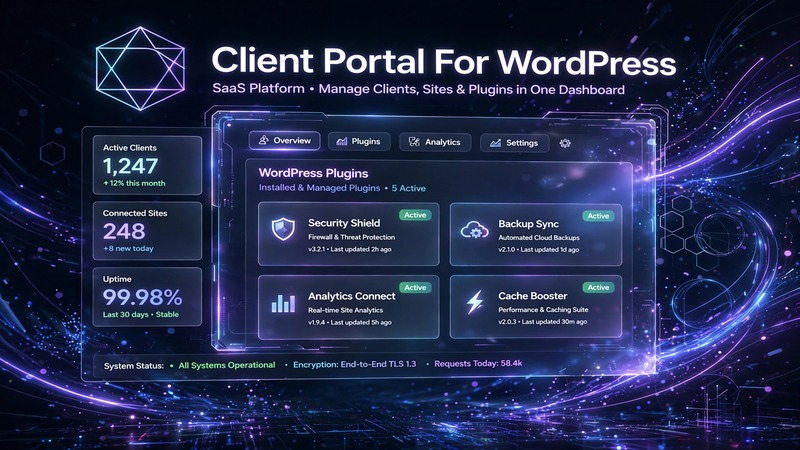
Agency Executive Summary & Business Fit
Client Portal For WordPress v5.10.0 fills a gap that shows up on almost every freelance and boutique agency build: the need to hand clients a clean, branded workspace without forcing them into Asana, Monday, or ClickUp. Those tools work fine in isolation, but they sit outside your site, break your branding, and create friction during handoff. This plugin lives inside WordPress. That matters.
The ideal deployment target is a service-based business or agency that bills by project or retainer and needs to share files, track milestones, and keep communication contained within the site itself. Think marketing agencies managing campaign assets, web shops delivering client proofs, consultants sharing deliverables, or local service providers wanting a login area for ongoing work. It also fits well for e-commerce storefronts that want to offer repeat customers a dedicated dashboard beyond the standard My Account page.
Production turnaround on a standard install with a pre-built child theme runs 3 to 5 days for a basic portal setup. A fully white-labeled version with custom dashboards, restricted content tiers, and WooCommerce integration typically lands in the 2-to-3-week range depending on how many client roles and permission levels you need to configure.
Visual Architecture & Conversion-Focused Layouts
The portal uses a clean, card-based layout system that prioritizes readability over decoration. That is intentional and functional. Client dashboards are information-dense environments, and the design avoids visual clutter so users can find what they need without thinking about it. Typography leans toward neutral sans-serif defaults that inherit from your active theme, which means you can shape the overall feel through global style settings rather than wrestling with hardcoded font stacks inside the plugin.
Call-to-action placement follows a predictable hierarchy: primary actions sit above the fold near project summaries, secondary actions like file uploads or status updates nest within individual cards. The structure mirrors how clients actually work, not how designers wish they would work. Mobile responsiveness is handled through flexible grid containers that collapse into single-column layouts on smaller screens. Navigation transitions between portal sections are smooth without relying on heavy JavaScript frameworks, which keeps page weight down.
For agencies building this for a client, the layout gives you enough breathing room to add custom CSS without breaking the underlying structure. The portal respects your theme's container widths and header/footer injection points, so the logged-in experience does not suddenly look like a different website when a client signs in.
Practical Customization & Client Handover
Customization happens through three main channels: the WordPress Customizer, Gutenberg blocks built into the portal, and direct template overrides if you are working in a child theme. Elementor users will find the portal integrates through shortcodes and template tags rather than a native widget library, which keeps things lightweight but means you lose the visual drag-and-drop canvas for portal pages. If your workflow depends heavily on Elementor, plan ahead and map out which portal pages need custom design versus which can stay portal-native.
Global theme styling does most of the heavy lifting for color, typography, and spacing. You set those once in the Customizer and the portal inherits them. White-labeling comes down to removing the plugin attribution, renaming portal pages through the WordPress editor, and optionally replacing the default login screen with a branded version using a simple template override or a plugin like Theme My Login.
Client handoff is where this plugin earns its keep. You can pre-create portal accounts, assign role-based permissions, and lock specific content behind membership tiers. The dashboard workflow stays simple enough that non-technical clients do not get lost, while giving you as the admin the ability to toggle visibility of sections, upload files on their behalf, and leave status notes that appear inside the portal. For ongoing retainer clients, this cuts down the back-and-forth email chain significantly.
Core Feature Breakdown & E-Commerce Readiness
The core feature set revolves around project management, file sharing, messaging, and milestone tracking—all wrapped inside a WordPress user account. There is no external dependency for these functions, which eliminates the risk of a third-party service going down or changing pricing. Communication stays on your domain, files live in your media library, and everything ties back to the existing user system.
WooCommerce integration is the standout addition in v5.10.0. It connects the portal to your product catalog, order history, and customer accounts, which means repeat buyers see a consolidated dashboard instead of digging through email receipts and account pages separately. It works best when you pair it with subscriptions or downloadable products, though it handles standard WooCommerce orders without issue. Performance caching plays nicely with the portal as long as you exclude the authenticated session pages from object caching, which most major caching plugins support through exclusion rules.
SEO schema is applied to public-facing portal landing pages, not the private dashboard itself. That is the correct call, since dashboards should not be indexed. Forms integrate through Contact Form 7 and WPForms, which covers the majority of agency use cases. If you need custom fields tied to portal submissions, the hook structure gives you enough access to extend behavior without modifying plugin files.
Production Environment & Requirements Checklist
| Requirement | Minimum Specification |
|---|---|
| WordPress Version | 6.0 or higher |
| PHP Version | 8.0 or higher |
| MySQL Version | 5.6 or higher |
| WooCommerce (optional) | 8.0 or higher |
| Memory Limit | 256MB recommended |
| Server Type | Apache or Nginx |
| cURL Support | Required |
| Open SSL Support | Required |
| Caching Compatibility | WP Rocket, LiteSpeed, W3 Total Cache |
| Form Plugin Support | CF7, WPForms |
| Page Builder Support | Gutenberg native, Elementor via shortcode |
Keep the plugin updated alongside WordPress core releases. Test in a staging environment before pushing to production, especially when a new WordPress version drops within the same week as a plugin update. The rollback plan is straightforward: the plugin stores all portal data in standard WordPress post types and user meta, so a migration or emergency revert does not require database surgery.
Agency Verdict & Value Assessment
This is a practical tool for agencies that want to reduce tool sprawl on client projects. If your work involves regular file delivery, milestone updates, or client communication tied to a WordPress site, Client Portal v5.10.0 removes one more subscription from the stack and keeps everything inside the environment your clients already log into. It is not a replacement for full-scale project management platforms when you are running large teams across dozens of concurrent projects, but for small to mid-size client work it hits the sweet spot between simplicity and capability.
The ROI is clearest for freelancers and boutique agencies billing retainer clients who expect a polished, branded experience. The WooCommerce addition makes it viable for digital product sellers who want to go beyond the default storefront. If your builds already include WordPress multisite or complex role hierarchies, spend time in the staging environment mapping out the permission layers before committing to production. Done correctly, this plugin pays for itself in saved hours and fewer client support tickets.