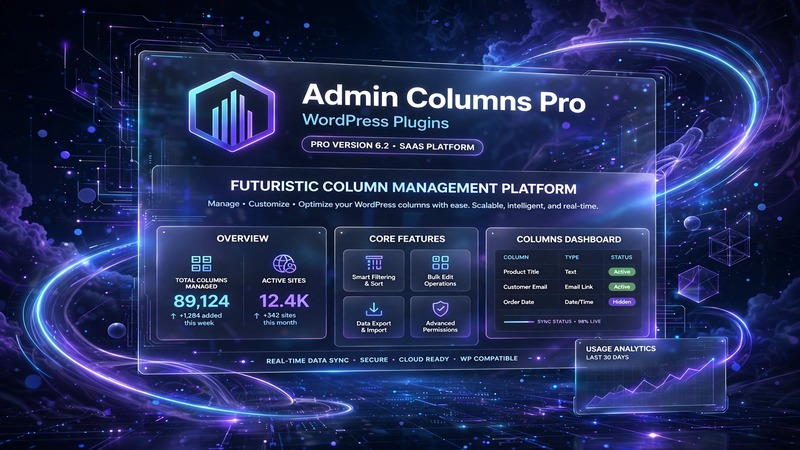
Overview & Real-World Use
I've been working with WordPress long enough to know that the default admin interface wasn't built for scale. After managing a dozen client dashboards over the years, I started hitting the same wall every time — clunky column layouts, missing data at a glance, and endless clicking just to find what I need. That's exactly where Admin Columns Pro comes in.
This isn't a theme or a frontend tool. It's a backend utility plugin that fundamentally reworks how your WordPress admin tables look and behave. You know those list views for posts, users, comments, media, and custom post types? This plugin puts them on a diet and then splices in whatever you actually need to see without hovering through a dozen metaboxes. The drag-and-drop column manager alone makes it worth the price of admission.
The package is aimed squarely at agencies, freelance developers, and anyone running multi-author WordPress installs where admin efficiency actually matters. If you're building a client site and still shipping them the default WordPress dashboard, this is the upgrade they didn't know they needed.
Design & Page Builder Workflow
Let's be clear about what this plugin doesn't do — it doesn't touch your frontend at all. There's no Elementor integration, no Gutenberg blocks, no demo templates to import. The "design" here lives entirely inside wp-admin, and the interface is refreshingly uncluttered.
The column manager itself is a straightforward drag-and-drop panel. You see your existing columns laid out horizontally, and you shuffle them around the way you'd rearrange widgets in the Customize screen. Save, and the change rolls out immediately across the relevant post type table. No config files to edit, no shortcodes to paste.
What impressed me was how painless the column assignments are. You can map different column sets to different post types in one go. So your blog posts might show author, category, tags, and a custom field for SEO score, while your product inventory view pulls in SKU, stock status, and pricing columns. The distinction between the default WordPress column system and this plugin's custom columns is clean — they coexist without stepping on each other.
Practical Functionality
The real meat of Admin Columns Pro is in its 90+ built-in column types. Featured images render directly in the table cell with a thumbnail preview — no more clicking into the editor to check whether a post actually has one. Custom fields display their values inline, whether they're text, numbers, or serialized meta data. Taxonomies appear as clickable chips instead of raw slugs. It sounds minor until you're auditing 200 products or 500 user accounts and you need to spot patterns without opening individual records.
Filtering and sorting are where this plugin pulls ahead of cheaper alternatives. You can convert any column into a filterable dropdown or search field with a single toggle. Want to filter users by role and registration date at the same time? Done. Sorting by custom meta fields that WordPress wouldn't normally allow? Also done. The filtering UI sits cleanly above the table and doesn't clutter the page when it's not in use.
Custom field support is genuinely robust. I tested this on a project where the client stored delivery estimates, vendor codes, and regional pricing in custom meta — none of which appeared in the default admin. Within twenty minutes I had a fully customized product overview pulling in every field, reordered to match how the warehouse team actually worked.
The extensibility angle matters too. The plugin exposes hooks and filters that let you add your own column types, adjust rendering logic, and integrate with third-party data sources. If you're comfortable writing PHP, there's essentially no ceiling on what you can do here.
Technical Specifications
| Detail | Information |
|---|---|
| Plugin Name | Admin Columns Pro |
| Current Version | v7.1.7 |
| WordPress Compatibility | 6.0+ |
| PHP Version Required | 7.4+ |
| Activated On | Posts, Pages, Users, Comments, Media, Taxonomies, Custom Post Types |
| Required Plugins | None (standalone) |
| Bundled Plugins | None |
| Column Types Available | 90+ |
| Documentation | Included in-plugin + online handbook |
| Last Updated | October 10, 2026 |
| License | Commercial (single-site) |
Final Takeaway
Admin Columns Pro isn't flashy, and it doesn't pretend to be. It's a surgical tool for people who spend real time in the WordPress admin and are tired of wrestling with default table layouts. The drag-and-drop column builder is intuitive, the 90+ column types cover almost every scenario I've encountered, and the filtering system alone justified the purchase on its own.
If you're a developer handing off a site to a non-technical client, this is one of those plugins that quietly prevents a dozen support tickets before they happen. If you manage high-volume content operations yourself, it saves you minutes every single day — and those add up fast. Not essential for a personal blog, but for any serious WordPress workflow, it's a solid investment.